Baby Games: 2+ kids, toddlers
- 4.7
- Rating
- 5.00M
- Installs
- Free
- Price

 Analysis by App-foxy
Choosing a game for a toddler is less about finding the most exciting title and more about finding something that feels calm, understandable, and fair to use. Baby Games: 2+ kids, toddlers is an educational game from Bebi Family: Educational Games for Kids, designed around early learning for very young children. I see it as a collection suited to short, guided play rather than a replacement for hands-on activities, conversation, or picture books.
The focus is broad but practical: colors, simple puzzles, and other activities intended for children from around age two. That makes the game easy to understand at a glance, especially for a parent looking for a first digital learning experience. It is free to start, carries an Everyone content rating, and its store summary highlights an ad-free experience. Those points matter when the child is too young to distinguish learning content from a sales message.
How the game feels in everyday family use
In my experience, the best way to use this kind of app is in a small, predictable window. A child might play for a few minutes while a parent prepares a meal, during a quiet afternoon, or on a trip when physical toys are not convenient. I would sit nearby at first, watch which activities make sense to the child, and help with the first few attempts instead of handing over the device and walking away.
You May Also Like

 Blood Strike: 2.5 Anniversary
Blood Strike’s Loadouts Turn Every Drop Into a Tactical Gamble
A close look at Blood Strike’s custom loadouts: how fast access to signature weapons reshapes its battle royale rhythm, rewards preparation, and narrows the gap between fights.

 Pandora - Music & Podcasts
Pandora’s Music Is Easy to Start, but Harder to Recover
Pandora’s strength is its low-effort path from a seed to a station. Its weak spot is how much confidence it asks you to place in connection, setup, and quiet recovery.

 8 Ball Pool
 Is Built on Rivalries, Rematches, and Routine
A close look at the rivalries, rematches, shared routines, and unanswered safety questions that turn a quick pool match into a persistent mobile community.

 Samsung Music
’s Quiet Strength Is Playing What You Already Own
Its reach comes less from spectacle than from dependable access to a personal library. That simplicity is both the app’s strongest retention engine and its ceiling.

 AccuWeather: Weather Radar
AccuWeather Review: A Quick, Clear Forecast for Everyday Decisions
For everyday plans, the best forecast is the one you can understand quickly. AccuWeather makes rain timing, radar, and local conditions easy to act on, with a few trade-offs.

 Hill Climb Racing
Why Hill Climb Racing Still Turns Crashes Into One More Run
A tiny car, a bumpy hill and one more upgrade: Hill Climb Racing keeps resurfacing because its simple chaos makes every near-miss feel personal.
More From Our News Desk



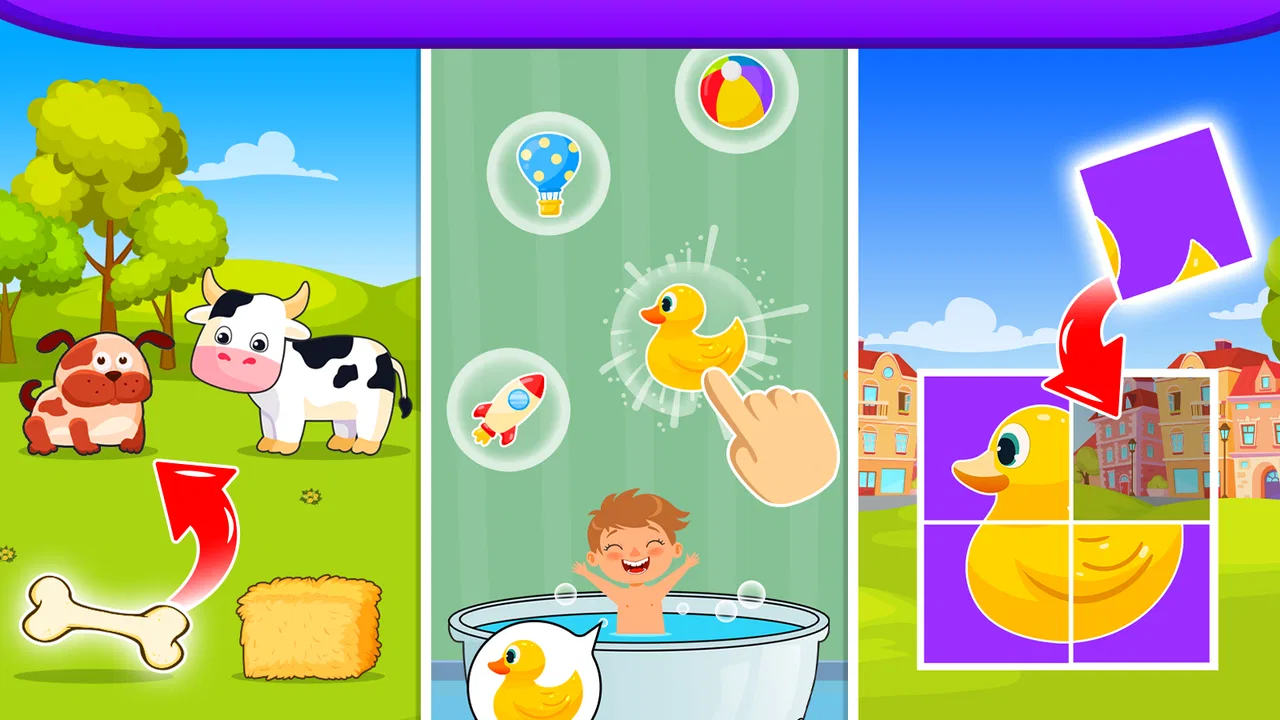
The age target is one of the strongest parts of the concept. Toddlers generally need clear visual choices and quick feedback, not complicated menus or long explanations. Activities based on colors and puzzles can support recognition, matching, and simple problem-solving while keeping the interaction concrete. The game is most useful when I treat each activity as a prompt for conversation: “Can you find the red one?” or “Where does this piece go?”
That shared approach also reveals an important limitation. A toddler may complete an activity correctly without understanding the underlying idea. Tapping the right color is not the same as recognizing that color in a room, and fitting a puzzle piece is not the same as developing broader reasoning skills. I would use the game as a starting point, then connect it to blocks, crayons, clothing, food, and objects around the home.
The developer is Bebi Family: Educational Games for Kids, and the game has built a substantial audience, with over five million installs. It holds a 4.7 average from around one hundred thousand ratings, alongside roughly sixteen thousand written reviews. Those figures suggest that many families find the overall package useful, but they do not tell me whether it will suit a particular child. Toddlers differ sharply in patience, motor control, language development, and interest in screens.
Spending is simple to understand, but not irrelevant
The game is free, while its in-app purchases range from $5.99 to $49.99 per item. That is the main spending detail I would want a parent to consider before allowing independent play. The presence of a free starting point is convenient for testing the style and seeing whether a child responds well, but the range of optional purchases means I would review the device’s purchase controls before giving it to a toddler.
I would not describe the purchase model as automatically unfair based on those facts alone. A free entry point can be reasonable if a family can use it comfortably without paying. At the same time, a young child should not be expected to understand what a purchase means, so the responsibility belongs with the adult. I would make the decision myself, keep purchase approval under parental control, and avoid presenting paid content as a reward the child must have.
The ad-free emphasis is particularly relevant for this age group. Advertising can interrupt concentration and introduce messages that have nothing to do with the activity. An ad-free learning session is easier for a parent to supervise and easier for a child to follow. Still, ad-free does not automatically mean distraction-free: a child can move from an educational activity to another part of an app or device if the surrounding setup is not managed carefully.
Progress without pressure
For a toddler, progress should mean becoming more comfortable with an idea, not accumulating a high score. I prefer to watch for small signs: the child waits for the instruction, identifies a familiar color, tries again after a mistake, or begins to solve a puzzle with less help. Those observations are more meaningful than rushing through every available activity.
This is also where I would be cautious about turning play into a test. If a child repeatedly misses an item, I would pause and demonstrate it using real objects rather than insisting on another attempt. A two-year-old may be tired, distracted, or still developing the hand control needed for a tap. Repeated failure can make an otherwise gentle learning activity feel like pressure.
One useful routine is to choose a single theme for a session. After an activity involving colors, I might ask the child to find two objects of the same color in the room. After a puzzle, I could offer a wooden shape sorter or ask the child to describe what the finished picture shows. This turns the screen into a short lesson opener rather than the entire lesson.
I would also avoid using the game as a measure of development. A child who struggles with a digital puzzle may be perfectly capable of solving a physical one, and the reverse can also happen. Touchscreens reward a specific kind of movement, and familiarity with swiping or tapping varies among children. The game can offer practice, but it should not become a source of comparison between siblings or friends.
Fairness for young players
Competitive fairness is not really the right measure here because this is not a game I would choose for competition. There is no reason for a toddler to compare progress with another child, and a parent should be careful not to frame the activities as a race. The fair experience is one in which the child can explore at a comfortable pace, receive help when needed, and stop without feeling that something important has been lost.
The game is a better fit for cooperative play between an adult and a child. I can imagine a parent holding the device, reading the prompt aloud, and letting the child point or tap. That arrangement reduces accidental purchases, makes the activity more social, and gives the adult a chance to notice whether the child understands the task or is simply touching the most obvious object.
It also makes the game more accessible to children who need extra time. A fast-moving activity or impatient adult can turn a simple puzzle into a frustrating experience. Slowing down, repeating a word, or offering one choice at a time can make a major difference. In that sense, the fairness of the experience depends as much on how the family uses the app as on the app itself.
I would skip it as a primary choice for an older child seeking challenge, competition, or a deep progression system. The stated audience is two- to four-year-olds, so a preschooler who has already mastered basic colors and simple matching may need richer problem-solving elsewhere. Likewise, families looking for a completely screen-free learning routine should choose physical materials instead, because no digital game can reproduce the sensory and social benefits of play with real objects.
Practical details before installing
The game was released on April 3, 2020, and the current version is 4.01.03. It requires Android 6.0 or later, so compatibility is worth checking on an older phone or tablet before planning to use it. The listed price is free, which makes trying it straightforward, while the optional purchase range is something I would handle through the adult account rather than leaving to the child.
The Everyone rating is appropriate for a product aimed at very young children, but an age rating should not be confused with a recommendation for unlimited use. I would still set a clear stopping point and keep the device in a shared space. For toddlers, the quality of the interaction matters more than extending the session. A few attentive minutes can be more valuable than a long period of automatic tapping.
One practical tip is to test the controls yourself before introducing the game. I would check how easily a child can return to a menu, whether the activity can be restarted without confusion, and where purchase prompts appear. This is not about assuming the game is unsafe; it is about removing avoidable friction before a child uses it. Young children often tap quickly and do not understand the difference between an educational choice and a navigation control.
Another useful habit is to keep the device’s sound at a comfortable level. Toddlers can become overstimulated by bright visuals and repeated audio, even when the activity itself is simple. If the child starts tapping randomly, looking away, or becoming upset, I would treat that as a sign to stop rather than as a reason to push through the next level or activity.
What I would still check for myself
There are several questions a careful parent may still have before committing to regular use. The available product details establish the age focus, educational category, free entry point, ad-free positioning, purchase range, and technical requirements. They do not give me enough basis to describe a specific progression structure, a particular parental dashboard, or a detailed offline workflow, so I would inspect those elements directly on the device instead of assuming they exist.
I would also pay attention to how the game handles repeated play. Some toddlers enjoy doing the same activity many times, while others need variety to stay engaged. If the child is learning through repetition, that can be a strength. If the activities begin to feel mechanical, I would shorten the session and move to a physical alternative. The right test is not whether the app keeps the child occupied, but whether the child remains interested and understands what they are doing.
Parents may also wonder whether the free experience is enough. The sensible answer is personal: try the available activities first and decide whether they fit your child’s interests and your family’s boundaries. Since individual purchases can reach $49.99, I would never buy simply because a child asks for something on screen. I would first decide what learning goal the purchase serves and whether a non-digital activity could meet that goal better.
Compared with ordinary toddler videos, this game has a clearer opportunity for interaction because the child is asked to make choices rather than only watch. Compared with physical puzzles and sorting toys, it is more portable and easier to use in a waiting room or while traveling, but it offers less tactile feedback. Compared with a live activity led by a parent, it provides convenience but cannot adapt its conversation and encouragement as naturally as a person can.
My trust verdict
I would recommend Baby Games: 2+ kids, toddlers to parents who want a gentle, introductory educational game and are prepared to stay involved. Its strongest case is convenience: it brings color learning and simple puzzle-style play into a format that can fit a short break, a journey, or a shared parent-child session. The ad-free positioning and Everyone rating also make the basic concept easier to consider for a very young audience.
My recommendation comes with boundaries. I would not use it as a digital babysitter, a developmental scorecard, or a substitute for physical play. I would supervise the first sessions, control purchases, keep play brief, and connect what happens on screen to real objects and conversation. Families who want advanced challenges, competitive play, or a fully offline learning kit will probably be happier with another option.
Overall, I think this is a reasonable free starting point for toddler learning, provided the adult remains in charge of time, spending, and expectations. The game works best when it opens a small conversation about colors, matching, and problem-solving, then gets put away so the child can continue learning away from the screen.
FAQs for Baby Games: 2+ kids, toddlers
01What age group is Baby Games: 2+ kids, toddlers suitable for?
Baby Games: 2+ kids, toddlers is designed for young children, specifically those aged 2 and up. The app features simple games and activities that cater to toddlers’ developmental stages, focusing on enhancing cognitive skills, hand-eye coordination, and early learning in a fun and engaging way.
02What types of games and activities are included in the app?
The app offers a variety of games and activities, including puzzles, matching games, and interactive stories. Each activity is designed to be educational and entertaining, encouraging creativity and critical thinking. The colorful graphics and simple controls make it easy for toddlers to navigate and enjoy.
03Is the app safe for my child to use?
Yes, Baby Games: 2+ kids, toddlers is designed with safety in mind. The app does not contain any third-party ads or inappropriate content, ensuring a secure environment for your child. Additionally, the app includes parental controls to manage screen time and access to certain features.
04Are there in-app purchases or subscriptions required?
The app offers a basic set of games for free, but additional content and features may be accessed through in-app purchases or a subscription. These purchases are completely optional, allowing parents to choose the level of investment that suits their needs while unlocking more diverse and engaging content.
05Is an internet connection needed to use the app?
An internet connection is not required for most of the games and activities in Baby Games: 2+ kids, toddlers. However, some features, such as downloading additional content or updates, may require internet access. This allows your child to enjoy the app anywhere, even without a connection.
Pros
- Engaging and colorful graphics.
- Simple navigation for young users.
- Educational content promotes learning.
- Parental control options available.
- Offline play supported.
Cons
- Limited free content availability.
- In-app purchases can be costly.
- Ads may disrupt gameplay.
- Requires frequent updates.
- Lacks multiplayer features.

Baby Games: 2+ kids, toddlers
Gallery